

REGISTRATION
- Click on the ‘Become part of the METALLIVERSE’ button.
- Book your place at METALLIVERSE. You can pay via PayPal or Stripe (bank transfer, SEPA, credit card, etc.).
- To do this, select the ‘METAL.METALLIVERSE’ package to become a standard member. If you’d like to give the membership as a gift, select the package marked ‘Gift’.
If you have arranged with us in advance that you will be boarding as a VIP, then – and only then – select the ‘VIP METALLIVERSE’ package.
- Please wait for your invitation code (please also check your spam and junk folders!)
-> This usually takes around 2–3 working days after receipt of payment. - Click on the registration link in the email.
- Create a user account (the username must consist only of letters and numbers; no spaces).
- Warte bitte auf eine weitere E-Mail mit Deinen Zugangsdaten (einschließlich Passwort).
- Login at https://metal.metalliverse.de by using your account using your login details.
FIRST STEPS
9. Once you’ve logged in, you’ll be taken to the page where you can upload your profile picture/avatar.
You can, of course, skip this step there if you wish.
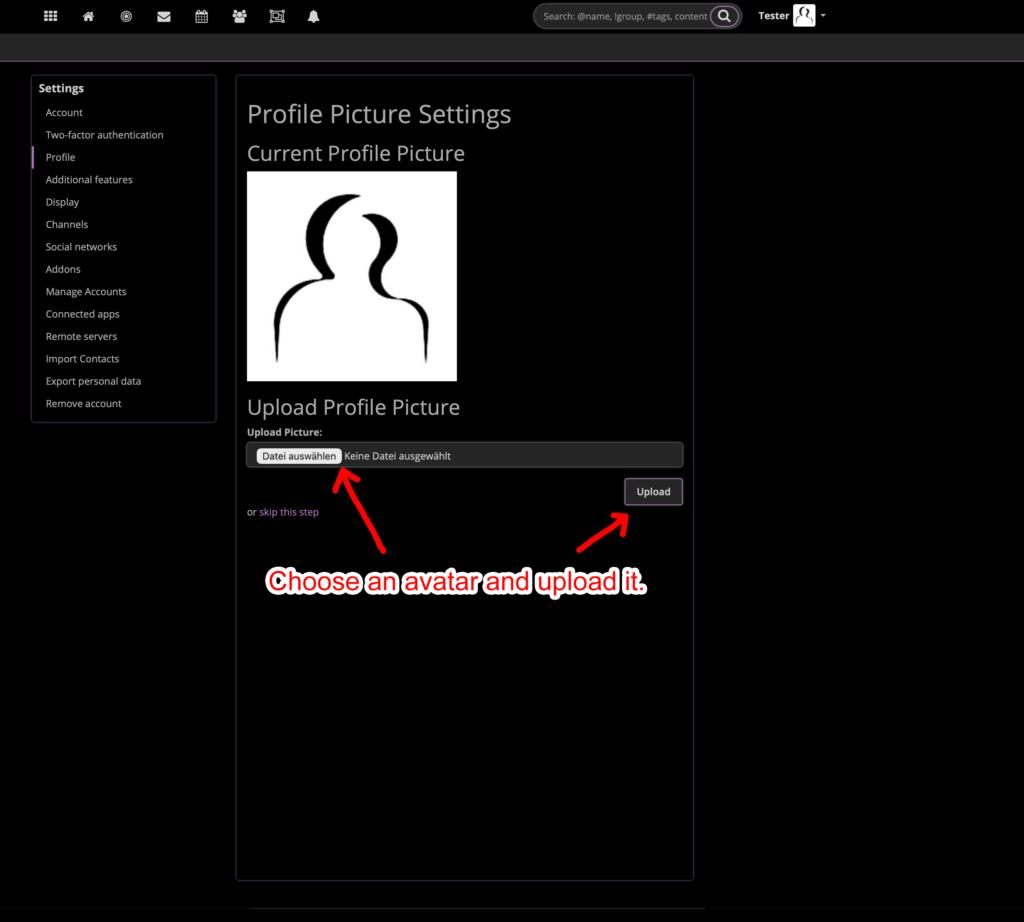
10. You can now either go to your profile settings on the left, below your profile picture, or click on the arrow in the top right-hand corner next to the small profile picture.
A menu will then open, and you can access your profile settings via ‘Settings’.

11. You can now set the time zone where you live (e.g. Berlin) in the ‘Basic settings’.
This is important if you want to post or schedule content later on.

To make things easier for you, you can then use the whole system in your own language.
Select your language from the available options.
Here you can see the languages in which METALLIVERSE is available ->

12. In the ‘Security and Privacy Settings’, you can then specify who can find you and where (‘locally’ – only on this particular instance – or ‘globally’ – including on future instances) and configure other options.
Important: the system can only identify you as a user and make you discoverable once you have posted your first message.

13. It is also important to decide whether you have a ‘personal’ account, or whether you are an ‘organisation’ – such as a band, label, magazine or event organiser – or whether you are setting up a ‘community’ for your fan club.

Those were the first important steps to getting started.
You’ll get the hang of it quite quickly after that.
Writing and sharing posts, inserting images (you can also use copy and paste), creating calendar entries, etc.
If you have any questions, why not visit the ‘METALLIVERSE’ group? You can ask questions there and find tips and advice.